Live on Zoom · next session 8 December 2026 - 11am NZDT

Tired of telling AI the same thing again?

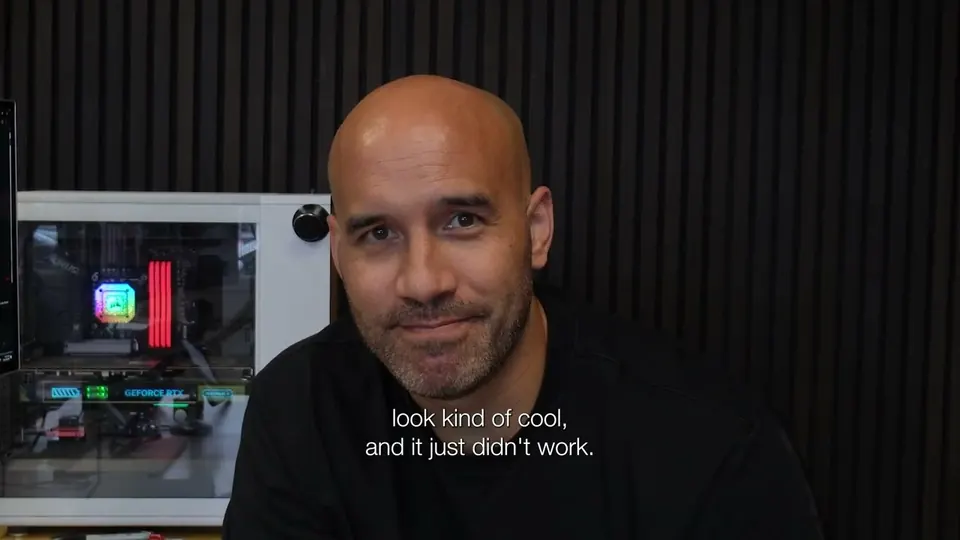
Two hours live with Stanley Henry. “We'll get your basic brain for AI agents set up. Then I'll show you how you use an AI agent, how it works, and all the bits and pieces of it.”
Stanley shows his own system and how he uses it every day, and walks you through the workbook on the call. You build yours after with the download pack and the six-stage AI Agent Workbook.
  • Do I need a Mac mini? No. It runs on the computer you already have, PC or Mac.
  • Can I use the cloud? Yes.
  • Do I need to code? No. The brain is plain text files in normal words, and you talk to your agent in plain English.
  • What does it cost to run? A paid Claude plan, Pro or Max. No API key needed.
  • Will it lock me in? No.
All questions
Stanley Henry on Build Your AI Agent
Sound familiar?

One chat per topic.
Then it forgets.

You have a marketing chat and a finance chat. For a while they feel good.

Then the chat gets long. It forgets how it started, and you are back to telling it the same thing again.

That is the context window: how much an AI can hold at once. When it fills, the old part gets squashed and things get dropped.

A longer chat will not fix it. A brain will.

The other catch

Your brain, locked inside one AI.

The big tech AIs all want you to build your memory inside their app.

Do that and your brain, your data and everything it has learned live inside that one AI. You can't move it easily, and you don't get the best of the others.

Your business brain should belong to your business.

The fix

One agent with a brain you own

Context files

Plain text in normal words. How you work, what you do, your ideas and your know-how.

Your tools

CRM, accounting, ecommerce, email, calendar, project board, social scheduler, meeting notes. Plugged in.

Together, your agent

It reads the files, uses the tools, and knows your business from the first message.

Before and after

From a chat that forgets to an agent that knows.

Memory
A chatYou explain your business again.

Every new chat starts from zero.

Your agentIt already knows your business.

Customers, prices and voice, read from your files.

The job
A chatIt answers, then stops.

You do the checking and the next step.

Your agentIt keeps going until it is sure.

It checks its own work, then says done.

A busy week
A chatTen chats, and you lose track.

Which one had the latest?

Your agentOne agent runs it all.

It sets off sessions for the work, then clears them.

Your AI
A chatLocked inside one app.

Moving means starting again.

Your agentClaude today. Swap it later.

The brain is files, so it goes with you.

What we cover

Two hours, inside

Live on Zoom with Stanley Henry. Questions at the end.

Part 1

Why chats forget

The context window in plain words, and why one chat per topic stops working.

    Part 2

    Locked in

    What happens when your brain lives inside one big tech AI, and how to keep it yours.

      Part 3

      The brain

      Plain-text context files plus your tools. Together they become your agent.

        Part 4

        Loops and done

        How an agent keeps going round until it has the right answer, then says done. And how it stops for your yes before it sends.

          Part 5

          The controller

          Your one agent sets off sessions for the work, keeps each one small, then wraps and clears them. Sessions are its hands, not more agents.

            Part 6

            Yours to keep

            Claude today, another model later. One folder your whole team can share and sync in GitHub.

              Then Stanley shows his own system and how he uses it every day.

              How it works

              See how he uses it. Build yours after.

              Stanley shows you his own system and how he uses it every day, then walks you through the workbook on the call.

              You don't build along on the call. You watch, ask your questions, then build your own with the download pack and the workbook, one stage at a time.

              From answering customers and chasing invoices to building a full website, brand guidelines, automations and dashboards, it does whatever your business needs.

              A one-time build. Then you use it to build anything.

              What you get

              What you walk away with

              The download pack: templates, guides and instructions

              The download pack

              The installer for Mac and Windows, a ready-made brain folder with its planner and skills, and a prompt for every step.

              The AI Agent Workbook

              Six stages, from install to your first skill. Each stage says what to do, the prompt to use and what done looks like.

              The recording

              Sent after the session.

              A free week in The Build

              A 7-day free trial for more webinars, templates and support.

              Pick your date

              Choose your session

              Can't make it live? Register anyway. You get the recording, the download pack and the workbook.

              8 December 2026 - 11am NZDTNZ$189Register for this date
              In use

              Built and running

              KEVAN now runs half of how we operate. Morning briefs, proposal drafts, content planning, lead qualification.
              attn:seeker (the agency itself)Real-world build behind the framework
              Your host

              Who's teaching

              Stanley Henry

              Stanley Henry

              I'm Stanley Henry, CEO of attn:seeker. My team of 35+ runs this system for brands across New Zealand, Australia, the US and beyond. We've generated 1.2 billion organic views across our own platforms and client accounts. 1.4 million followers. 7 years. The frameworks I teach are the same ones we run inside the agency every day.

              Your seat

              One live session

              Build Your AI AgentLive on Zoom
              NZ$189
              • 2 hours live with Stanley Henry
              • Download pack and six-stage workbook
              • Live demo of the system running
              • Session recording
              • Live Q&A with Stanley
              Register NowNext session 8 December 2026 - 11am NZDT

              Recording, download pack and workbook sent after the session.

              Before you register

              Questions

              Do I need to code?
              No. The brain is plain text files in normal words, and you talk to your agent in plain English. If you can follow a setup guide, you can build this.
              Do I need a Mac mini?
              No. It runs on the computer you already have, PC or Mac. Leave that computer on to keep it running.
              Is it one agent or many?
              One. You talk to one agent. When there is a lot on, it sets off sessions to do the work and clears them when they are done. Sessions are its hands, not more agents.
              Can I use the cloud?
              Yes. Once your brain is set up and in your private GitHub repo, the workbook gives you a prompt that walks you through running it in the Claude desktop app, on your computer or in a cloud environment. It needs a paid Claude plan.
              Will it lock me in?
              No. We use Claude because it is one of the better models today. The brain is plain files in a folder you own, so you can open it in another AI later and it still knows your business.
              Is it safe?
              Your keys live in a hidden file on your computer and never go in the chat. Your brain sits in your own private GitHub repo, so every change can be undone. On a big job it shows you a plan and waits for your yes before it builds anything.
              What does it cost to run?
              A paid Claude plan, Pro or Max. No API key needed. If you connect a tool that has its own key, set a monthly cap on it.
              Can you build it with me?
              Yes. AI Brain Setup is four calls where we build your business agent with you. We install the brain on your computer, connect your tools, set up the planner that runs every job to done, and build your first skill with you.
              What AI tool do we use?
              You install everything with one file in Stage 1, then work in Cursor and its terminal. The workbook walks you through choosing your AI. We run ours on Claude.
              Will there be a recording?
              Yes. All attendees receive the recording after the session, plus the full download pack.
              What if I can't make it live?
              Register anyway. You get the recording and the complete download pack sent to you after.
              How long does the build take?
              About six weeks at one stage a week. Go faster if you want to, or slower if you need to.
              What happens after the webinar?
              You get the recording, the download pack and the workbook, plus a 7-day free trial of The Build for more webinars, templates and ongoing support.

              Put your agent on the work. Don't just read about it.

              © 2026 The Attention Seeker. A live webinar with Stanley Henry. What you build depends on your business, your tools and the work you put in.